What is Lockdown Mode (Full Lockdown)
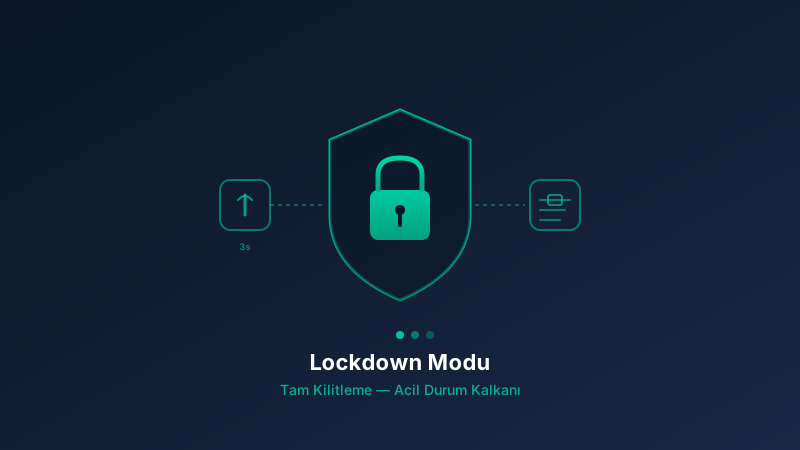
Lockdown Mode (Full Lockdown) is an emergency protection shield provided by the security-focused specialized operating system. To activate it, press and hold the phone's power button for 3 seconds and select the 'Lockdown' option from the menu that appears. This mode moves the device out of normal operation into a high-security state: fingerprint and face recognition are disabled, the USB connection is fully closed, the device enters PIN-only mode, and the encryption keys stay locked (near BFU state). Below we examine step by step which threat scenarios trigger Lockdown Mode and how it protects you.
Section 1 — Physical coercion / device seizure: The threat scenario is someone physically trying to take your phone, forcing you to unlock it, or attempting to force-read your fingerprint. In this case Lockdown Mode fully disables fingerprint and face recognition, fully closes the USB connection (protection against forensic devices), puts the device in PIN-only mode, and keeps the encryption keys locked, bringing the device near BFU (before Brute Force Unlock) state. As a result, unlocking under physical pressure becomes impossible.
Section 2 — Forensic device connection (Cellebrite / GrayKey): The security-focused specialized operating system can detect USB-connected forensic devices as 'suspicious USB activity'. The threat scenario is a forensic analysis device connecting via USB and attempting data extraction or a brute-force attack. In this case Lockdown Mode fully closes the USB port, disables biometric entry, and keeps the device near BFU mode (keys locked). This ensures forensic devices cannot pull any data from the device and full security is provided.
Section 3 — Fake base station (IMSI catcher) attack: The phone can trigger disconnect policies when it detects suspicious cellular behavior. It must be stated plainly: 'An IMSI catcher is active nearby' — that is, a fake base station is active nearby. Threats include an active IMSI catcher nearby, a 5G-to-2G downgrade attempt, identity collection, and location tracking. The specific protection described by the system: '5G → LTE Enforcement — fake base station protection'. In this scenario Lockdown Mode can cut cellular connections, disable biometric entry, and put the device in PIN-only mode.
Section 4 — Suspicious sensor activity (camera/microphone activation attempt): The operating system monitors sensor access very tightly. Threats include a background camera activation attempt, an app secretly using the microphone, and a location sensor forced active. The protection described by the system: 'Sensor Privacy — camera, microphone, and location can each be disabled individually'. In this scenario Lockdown Mode turns off all sensors, cuts connections, and disables biometric entry.
Section 5 — Side-channel attack (memory corruption, exploit attempt): The phone can detect memory attacks (heap corruption, use-after-free). There are two protections described by the system whose workings must be explained. (a) 'Hardened Malloc — protection against heap corruption attacks': This is a hardened memory allocator. How it works: it adds guard pages around each memory allocation, randomizes the heap layout, detects buffer overflows and use-after-free at runtime, and quarantines freed memory so attackers cannot reuse freed pointers. (b) 'Memory Tagging Extension — hardware-level protection': This is an ARM hardware feature. It tags each memory allocation with a tag and tags each pointer with a matching tag; on every memory access the hardware checks whether the tags match, and a mismatch triggers an immediate hardware fault that stops the exploit before it runs. Threats: an app tries to run an exploit, a memory overflow is detected, a malicious code execution attempt occurs. In this scenario Lockdown Mode cuts connections, disables biometric entry, and puts the device in safe mode.
Section 6 — Suicide PIN trigger (Kill Switch): The protection described by the system: 'When a special PIN is entered, the device fakes a normal boot but silently wipes all data'. This is a threat scenario. Threat: an attacker forces you to enter a PIN and pressures you to unlock the device. Normal boot PIN: 123456. Instead, if the pre-set Kill PIN → 2026 is entered, the phone appears to boot normally but all data inside is wiped and it boots to factory settings. This must be clearly understood with the example values: 123456 (normal) and 2026 (kill).
Conclusion — What happens if you don't enter Lockdown Mode?: Nothing 'breaks' — the phone keeps working normally. But you lose a critical security protection. Lockdown Mode is an 'emergency shield' designed for difficult situations. If you don't activate it manually, the device: can be unlocked with fingerprint, can be unlocked with face recognition, Bluetooth Unlock can work, the USB port stays open, forensic devices (Cellebrite, GrayKey) can attempt USB attacks, and it does NOT enter BFU mode (encryption keys not locked). In other words, the device stays in normal mode.